LMS
LMS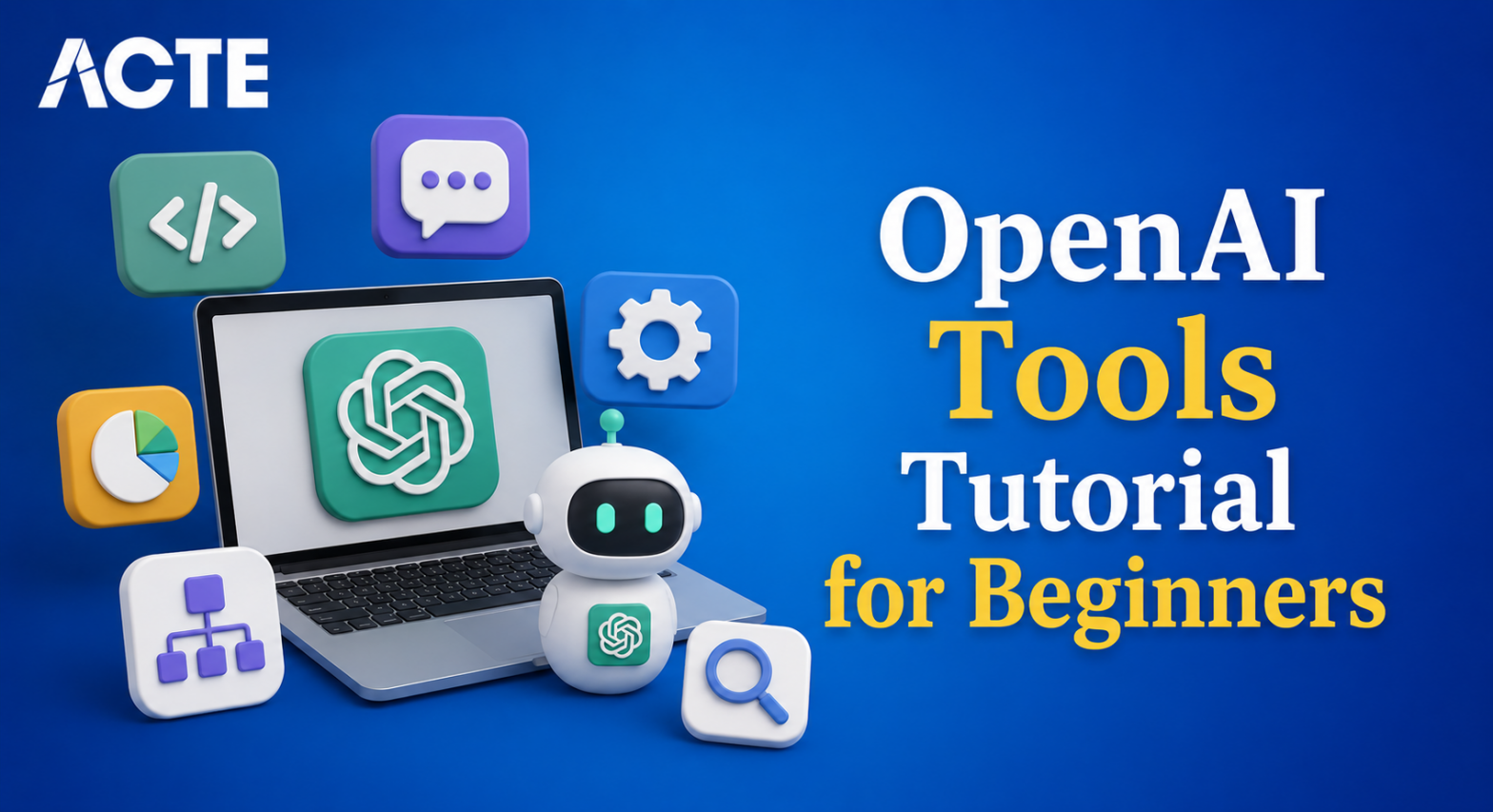
Last updated on 23rd May 2026| 4590

- Getting Started: OpenAI Tools Tutorial for Beginners
- Installation and Environment Setup
- Key Concepts in OpenAI
- Exploring GPT Models
- Fundamentals of Prompt Engineering
- Embeddings and Intelligent Search
- Customizing Models with Fine‑Tuning
- Connecting OpenAI with External Tools
- Practical Applications of OpenAI Tools
Getting Started: OpenAI Tools Tutorial for Beginners
OpenAI Tools Tutorial for Beginners provides powerful tools that make artificial intelligence accessible to everyone. Beginners can explore models like GPT for text generation and DALL·E for image creation. These tools are designed to simplify complex AI tasks into easy-to-use APIs. The tutorial introduces the ecosystem, highlighting how OpenAI democratizes AI. Freshers learn why OpenAI is widely adopted in industries such as education, business, and research in our Gen AI Course . The introduction emphasizes the importance of safe and responsible AI usage. It also explains how OpenAI tools bridge the gap between theory and practice. Learners discover how prompts, embeddings, and fine-tuning fit into the workflow. By starting here, beginners gain confidence in experimenting with AI. This section sets the foundation for practical learning and real-world applications.

Installation and Environment Setup
- Python Environment: Install Python 3.8+ and set up Jupyter or Colab notebooks. These platforms make testing OpenAI APIs interactive and beginner-friendly.
- OpenAI Library: Use pip to install the official OpenAI library. This provides direct access to GPT, DALL·E, and LangChain Tutorial For Freshers and other tools with minimal setup.
- Dependencies: Ensure supporting packages like requests and dotenv are installed. These help manage API calls and environment variables efficiently.
- API Keys: Generate an API key from the OpenAI dashboard. Store it securely in environment variables to protect credentials while coding.
- Testing Setup: Run a sample GPT prompt to confirm installation. Successful testing builds confidence and ensures the environment is ready for deeper learning and learan more inLarge Language Model Tutorial For Freshers
Get Your Gen AI Certification by Learning from Industry-Leading Experts and Advancing Your Career with ACTE’s Gen AI Course.
Key Concepts in OpenAI
OpenAI tools are built on several fundamental concepts that beginners should understand before developing AI-powered applications and Lrean more in Beginner Gen AI Projects Tutorial. At the center of the ecosystem are advanced models such as GPT, which generate human-like text, answer questions, summarize content, and perform a wide range of language-based tasks.
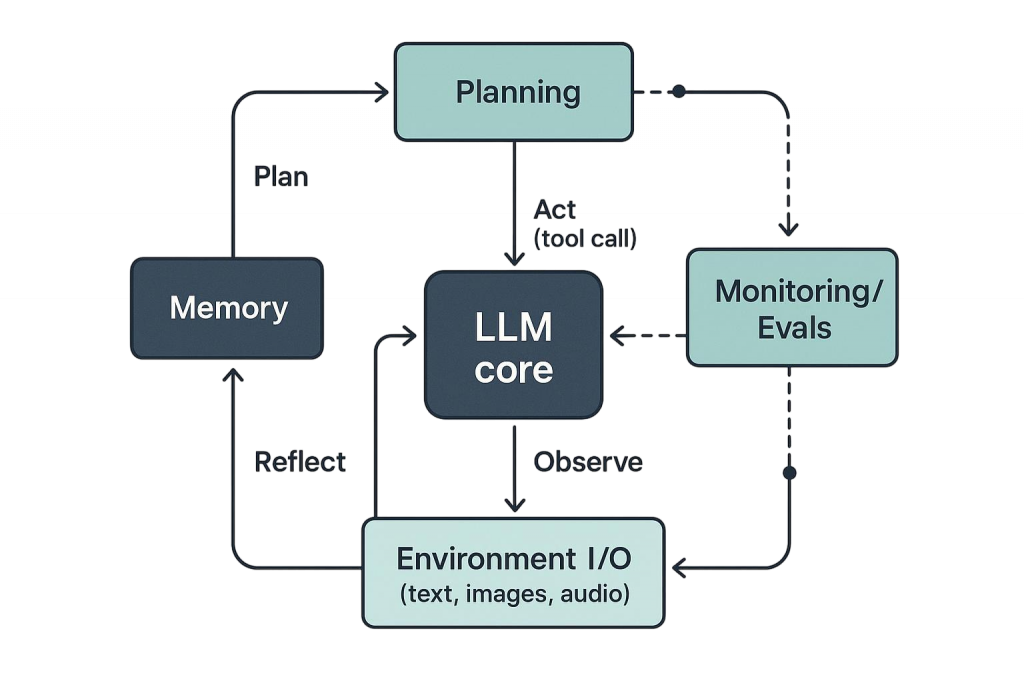
Another important concept is embeddings, which convert text into numerical representations that capture semantic meaning and enable tasks such as search, recommendation, classification, and similarity analysis. APIs serve as the secure interface through which developers access these models and integrate AI capabilities into websites, applications, and business systems. Tokens represent the smallest units of text processed by a model, context limits, and operational costs in Gen AI Course. Rate limits help ensure fair and stable access to AI services by controlling the number of requests that can be made within a specific period. Beginners are also introduced to fine-tuning, a technique used to customize models for specialized tasks and domain-specific requirements. Prompt engineering plays a crucial role in guiding model behavior and improving response quality through carefully crafted instructions. Another key concept is inference, which refers to the process of generating outputs from a trained model based on new inputs. Together, these foundational concepts help learners understand how OpenAI tools function in real-world environments. Mastering them enables freshers to build efficient, scalable, and practical AI applications while developing the skills needed for modern AI development and deployment.

Exploring GPT Models
- Text Generation: GPT models can generate coherent text. Beginners experiment with writing essays, summaries, or creative content. This builds confidence in AI-assisted writing.
- Conversation Handling: GPT powers chatbots and assistants. Freshers learn to maintain context in multi-turn conversations. This skill is vital for customer support and interactive apps.
- Role Instructions: Models can adopt roles like teacher or coder. Prompting GPT with role-based instructions improves relevance. Beginners explore how roles shape responses and more in AI Image Generation Tutorial For Freshers
- Context Management: GPT relies on context windows. Learners practice structuring prompts to fit within token limits. This ensures accuracy and efficiency in outputs.
- Applications: GPT models support diverse tasks. From summarization to translation, freshers see real-world use cases. This inspires confidence in applying GPT across domains.

Get JOB Oriented Gen AI Training for Beginners By MNC Experts
- Instructor-led Sessions
- Real-life Case Studies
- Assignments
Fundamentals of Prompt Engineering
Prompt engineering is the practice of designing effective instructions that guide AI models to generate accurate, relevant, and high-quality outputs. It is one of the most important skills for beginners working with generative AI, as the wording and structure of a prompt can significantly influence the model’s response. Through prompt engineering, learners discover how different phrasing techniques affect output quality, clarity, and relevance and Gen AI Engineer Internship Tutorial For Freshers. Role-based prompts enable models to respond from specific perspectives, such as a teacher, developer, marketer, or business consultant, while contextual prompts provide background information that helps the model better understand the task. Beginners also learn the value of iterative refinement, where prompts are continuously improved based on previous results to achieve more precise outcomes. Effective prompt engineering involves balancing creativity with accuracy, ensuring that responses are both useful and aligned with user expectations. Freshers can practice with common applications such as question answering, content creation, text summarization, brainstorming, coding assistance, and customer support scenarios. As they gain experience, they learn how to reduce ambiguity, improve consistency, and optimize model performance. This skill is essential for maximizing the capabilities of AI tools and achieving reliable results across various use cases. By mastering prompt engineering, learners gain greater control over AI behavior, enhance productivity, and establish a strong foundation for developing practical and scalable generative AI applications.
Want to Master Gen AI? Explore the Gen AI Master Program Offered at ACTE Today!
Embeddings and Intelligent Search
- Semantic Meaning: Embeddings capture the meaning of text. Beginners learn how vectors represent relationships. This enables smarter search and clustering.
- Search Engines: Embeddings power semantic search. Freshers build systems that find relevant results beyond keywords. This improves user experience significantly.
- Recommendations: Embeddings support recommendation systems. Learners explore how AI suggests similar content. This is widely used in e-commerce and media and Claude Tutorial for Beginners: Learn with Real Use Cases
- Clustering: Text can be grouped using embeddings. Beginners experiment with clustering documents or sentences. This helps organize large datasets efficiently.
- Applications: Embeddings apply to chatbots, knowledge bases, and analytics. Freshers see how meaning-based AI transforms industries. This inspires practical project ideas.
Want to Learn About DevOps? Explore Our DevOps Interview Questions and Answers Featuring the Most Frequently Asked Questions in Job Interviews.
Customizing Models with Fine-Tuning
Customizing models with fine-tuning allows developers to adapt pre-trained AI models for specific tasks, industries, or business requirements. While foundation models are trained on vast amounts of general data, fine-tuning enhances their performance by training them further on carefully selected, task-specific datasets and learn more inComplete Generative AI Basics to Advanced Tutorial. This process helps models better understand domain-specific terminology, writing styles, workflows, and expected outputs. For example, a healthcare organization can fine-tune a model for medical documentation, while a customer support team can customize it to provide more accurate responses to common customer inquiries.
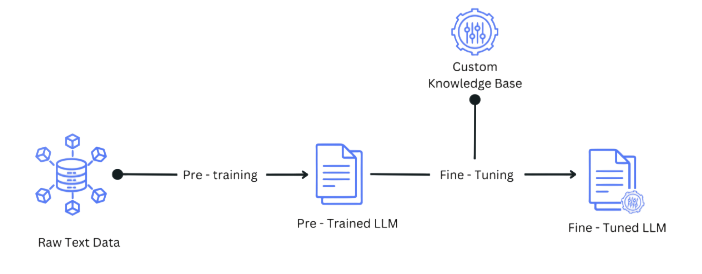
Fine-tuning improves consistency, relevance, and accuracy, making AI applications more effective for specialized use cases. Beginners learn how to prepare training datasets, structure examples, evaluate model performance, and measure improvements after customization. They also gain insight into balancing model quality with training costs and resource requirements in Gen AI Course. Fine-tuned models can be used for content generation, classification, summarization, sentiment analysis, code assistance, and many other applications. Understanding fine-tuning helps learners move beyond generic AI outputs and create solutions tailored to specific organizational needs. By mastering this technique, freshers can build more reliable, scalable, and industry-focused AI systems that deliver greater value in real-world applications.
Connecting OpenAI with External Tools
- Python Integration: OpenAI APIs connect easily with Python. Beginners write scripts for automation and analysis. This builds coding confidence and practical skills.
- LangChain Integration: LangChain enhances OpenAI workflows. Freshers learn to chain prompts and tools together. This expands the scope of applications and get knowledge form Artificial Neural Network A Complete Guide Tutorial.
- Cloud Platforms: OpenAI integrates with AWS, GCP, and Azure. Learners deploy models at scale. This prepares them for enterprise-level projects.
- APIs: Beginners explore REST APIs for connecting apps. This enables real-time AI services. APIs make integration simple and powerful.
- Libraries: OpenAI works with libraries like Pandas and Scikit-learn. Freshers combine AI with data analysis. This encourages experimentation and innovation.
Practical Applications of OpenAI Tools
OpenAI Tools Tutorial for Beginners are applied across diverse industries. In education, they support tutoring and content generation. Businesses use them for customer support and automation. Healthcare benefits from summarizing medical records in our Gen AI Course . Finance applies them to sentiment analysis and forecasting. Entertainment leverages GPT for creative writing and chatbots. Startups use OpenAI for rapid prototyping. Governments apply AI for translation and policy analysis. Research institutions explore cutting-edge applications. These examples show beginners how OpenAI transforms real-world workflows.